
DealSouk
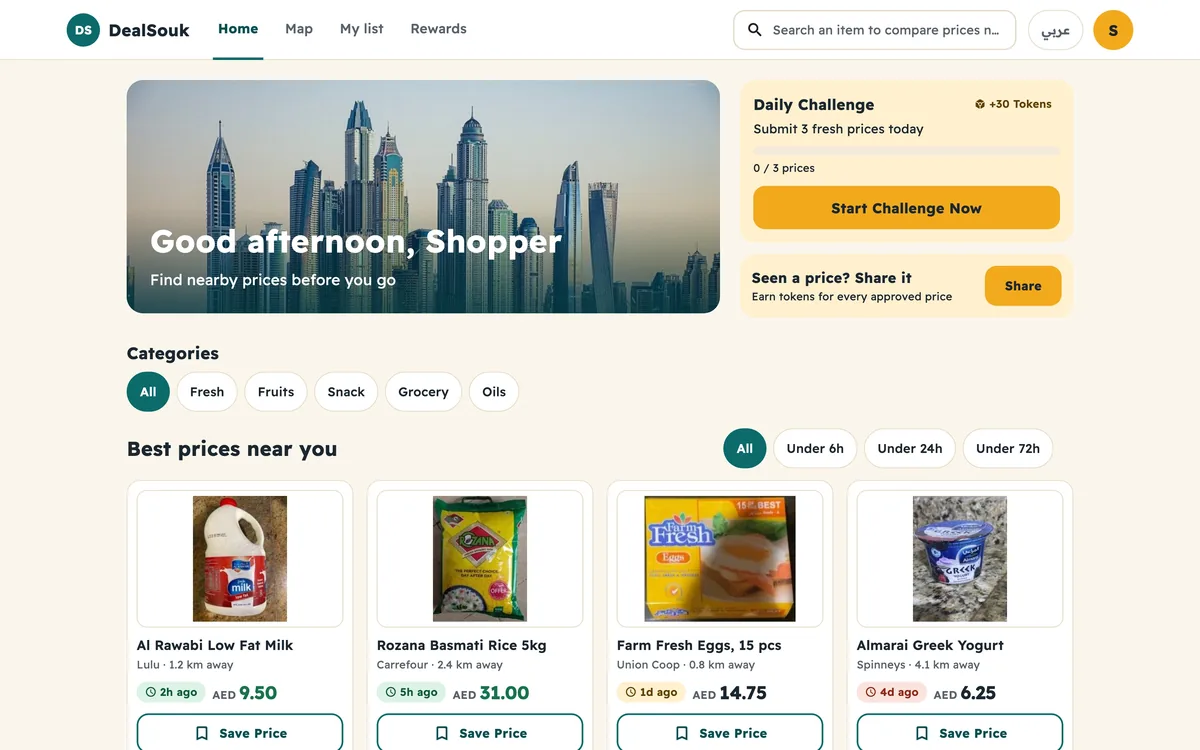
See the cheapest supermarket before you leave home, with prices shared by shoppers like you.
- Who it is for
- Dubai shoppers and a moderator team
- What it is
- Shopper app, moderator console and an API
- My part
- Product, design, build and 20 releases
- Built with
- Flutter · Node.js · Postgres
Read it your way
Showing the plain-words view, written so anyone can follow it. Switch to see the technical detail.
Showing the engineering view: names of tools, how the pieces talk and why they were chosen.
Why it exists
Shelf prices change all the time and nobody tells you. DealSouk lets shoppers photograph a price, earn tokens and share it, so everyone can see the cheapest basket. Every photo is cleaned, scanned and checked by a moderator before it goes live, and a price is marked old after 72 hours.
What it does
- 01
Compare prices
Search an item and see its price in every nearby store, and how fresh each price is.
Search over product and price rows; prices older than 72 hours are flagged stale.
- 02
Plan the basket
Put your shopping in one list and see which store is cheapest for all of it.
Basket totals computed per store from the latest approved price for each item.
- 03
Scan a barcode
Point your camera at a product and find it straight away.
Barcode scan resolves to a product id through the API.
- 04
See it on a map
Stores on a map, with their prices and how those prices have moved.
Map view with price history per store, in the app and the console.
- 05
Share and earn
Photograph a price, earn tokens, swap them for supermarket vouchers.
Photos are cleaned and scanned; tokens are counted server-side.
- 06
Keep it honest
Moderators approve each price. Three flags and a price hides itself.
Audit-logged moderation queue, flag threshold of 3 distinct users.
See it
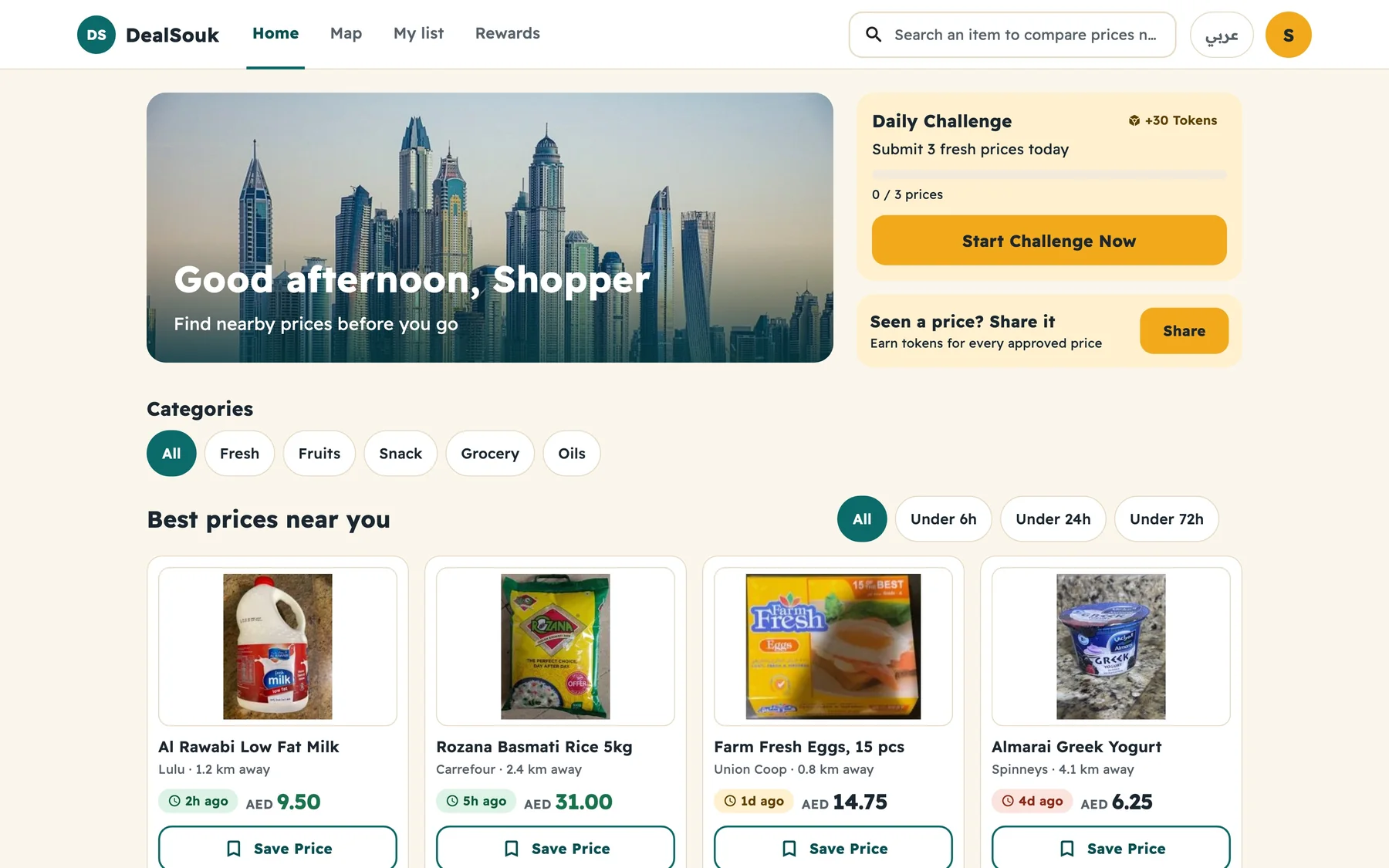
Home 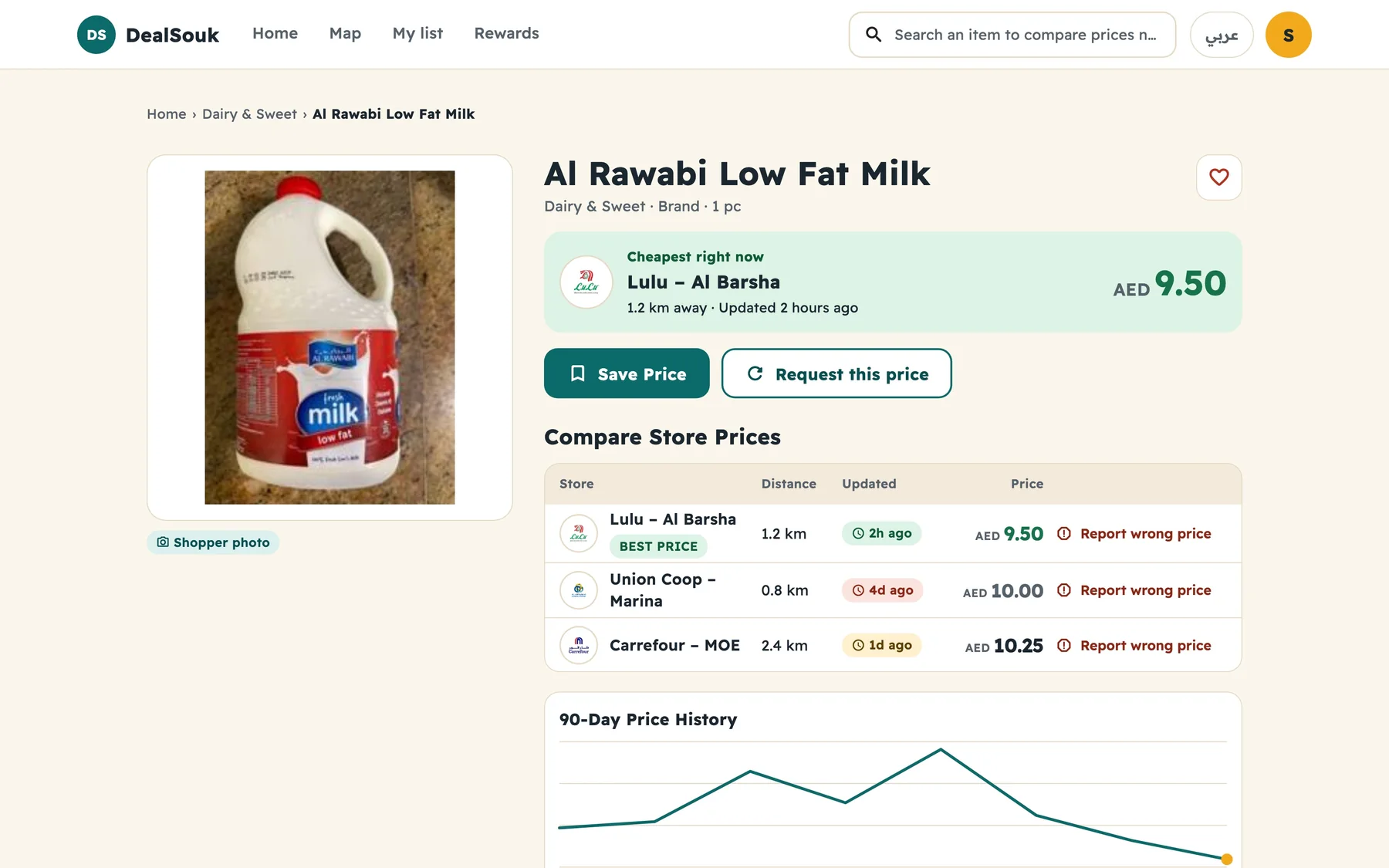
One product, every store 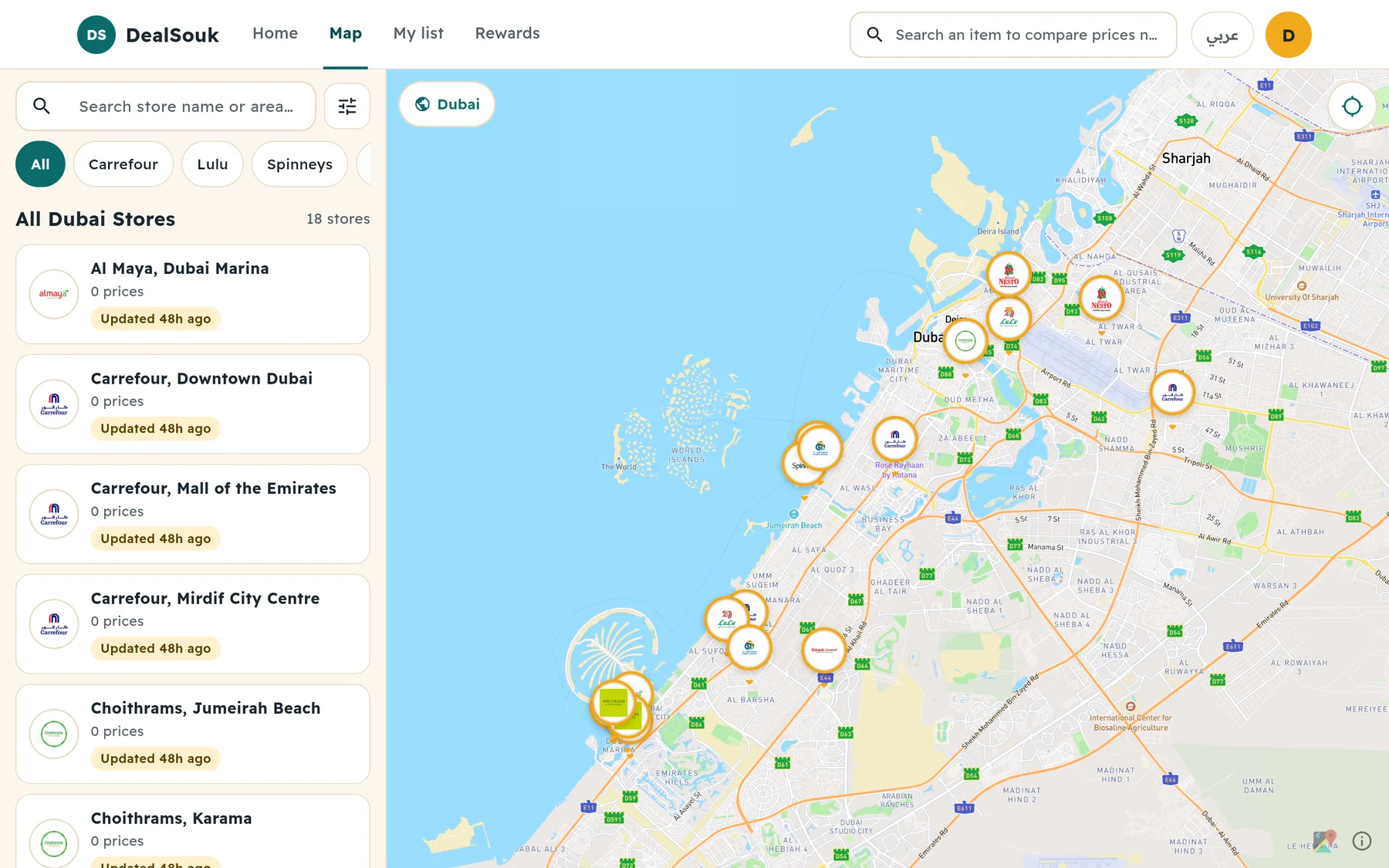
Stores on the map 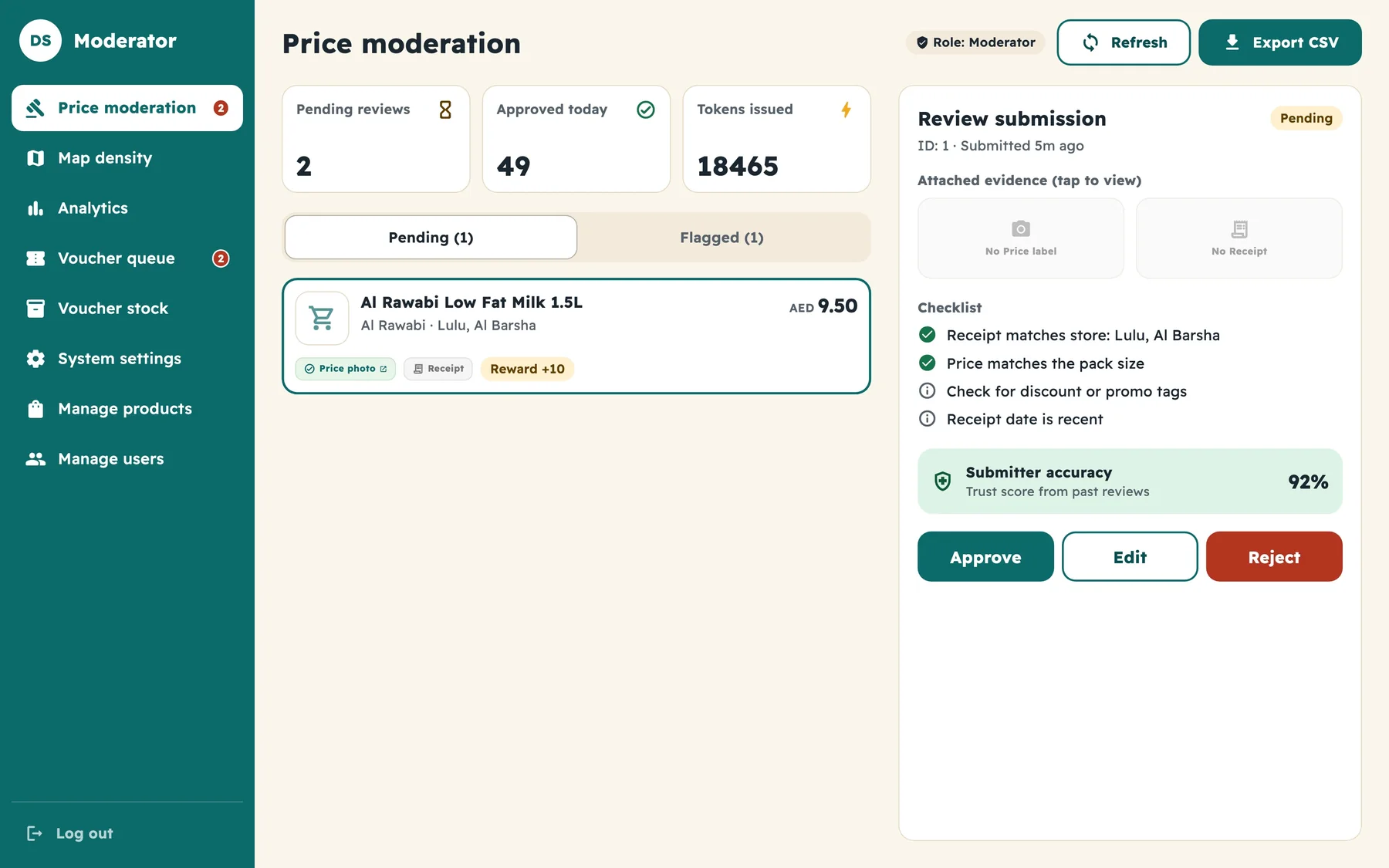
Moderator queue
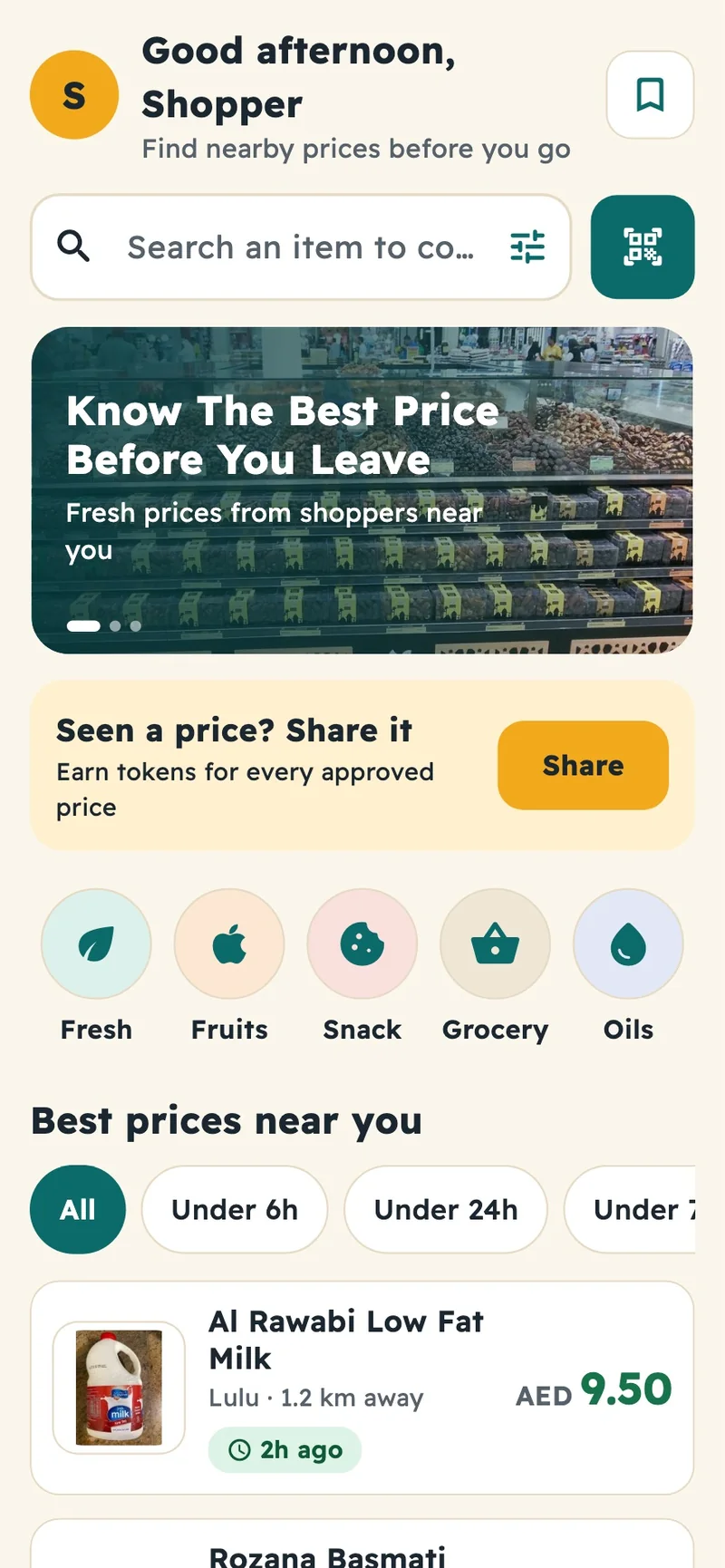
Home on a phone 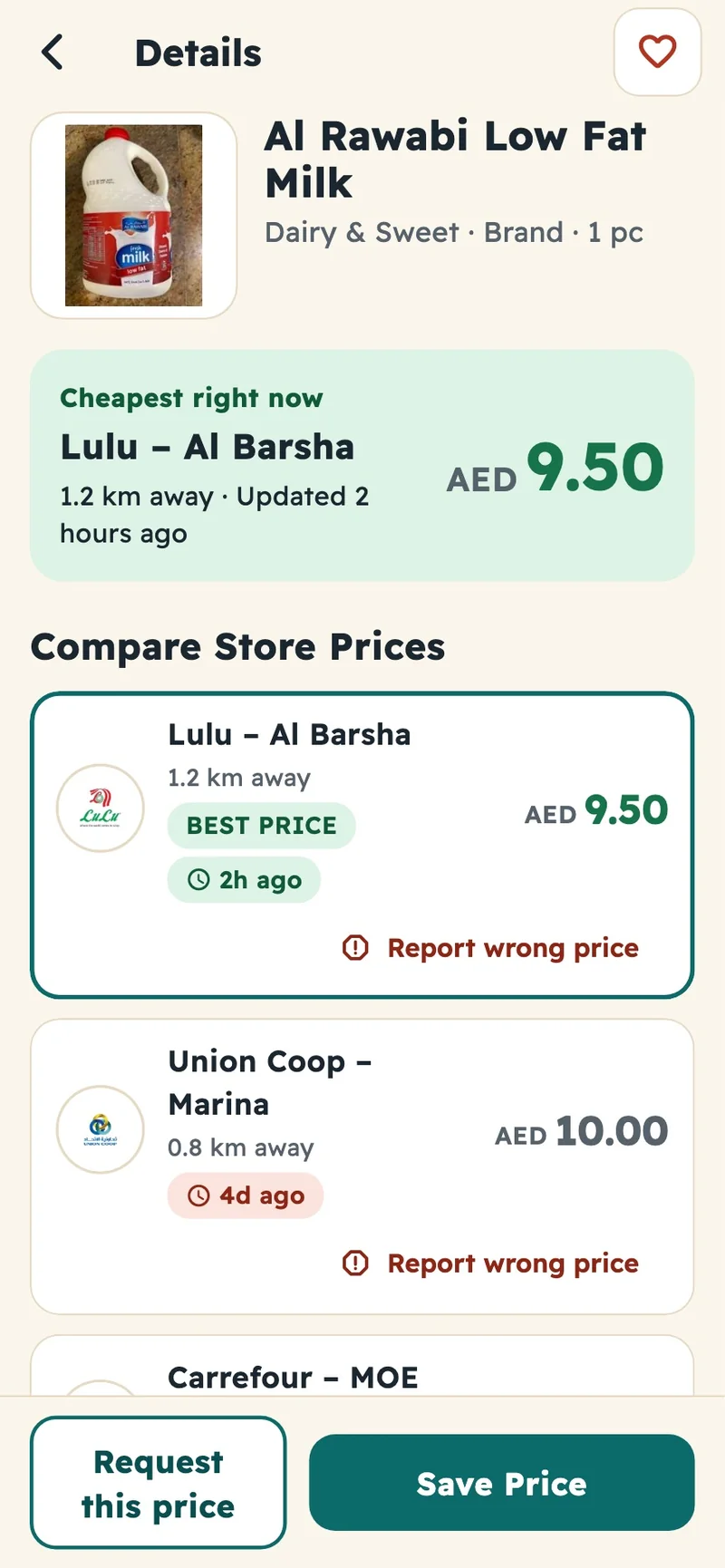
A product on a phone 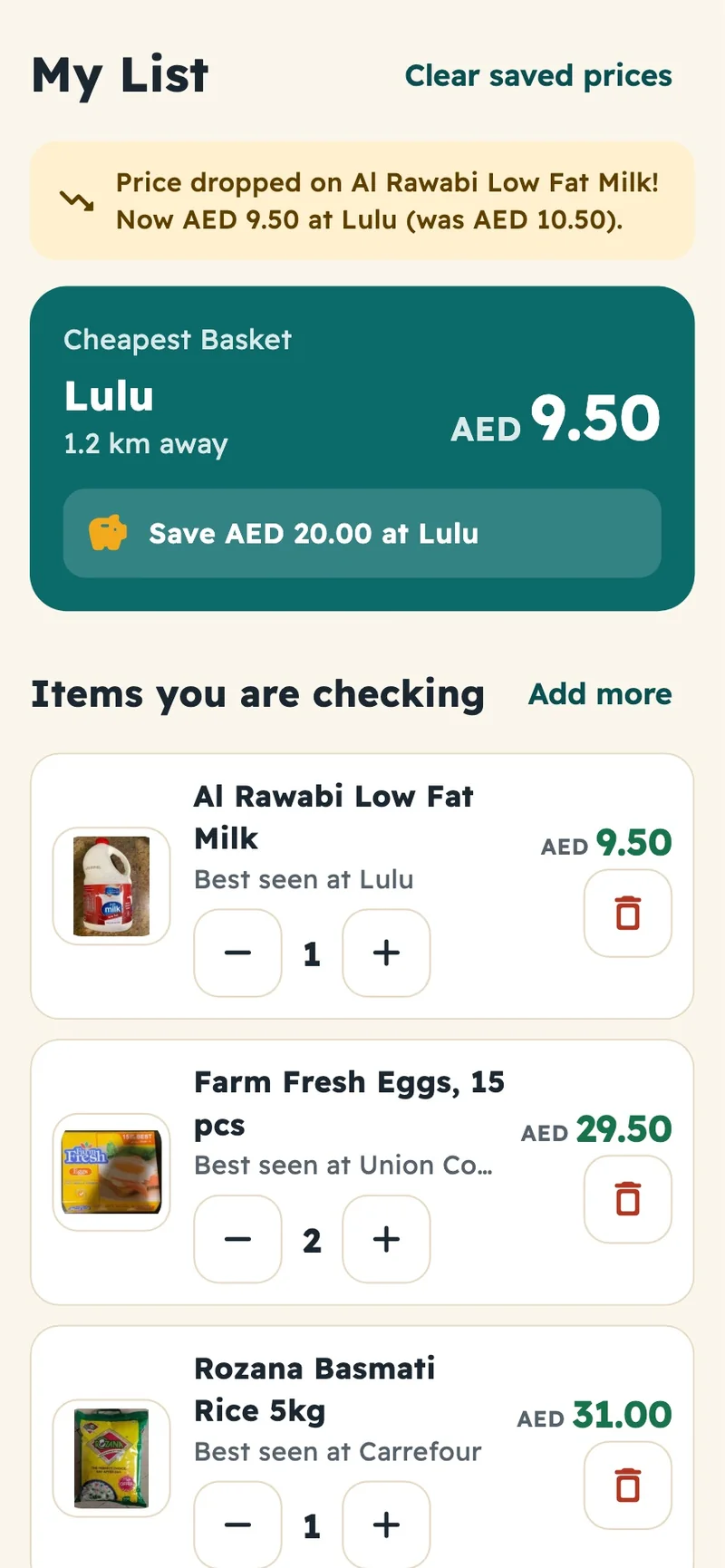
My list on a phone
How it works
The journey of one price, from a shelf to your screen.
- 1A shopper photographs a priceFlutter appOn the shelf, or from a receipt.Uploads the photo to Firebase Storage.
- 2The photo is cleaned and scannedNode API checksHidden details are removed and it is checked for problems.Strips metadata and scans before anyone sees it.
- 3A moderator checks itModerator consolePhotos sit beside a simple checklist.Approve, edit or reject; every action is logged.
- 4It goes live for 72 hoursPostgres via PrismaEveryone nearby can now see it.Neon database; stale after 72 h.
- 5The shopper earns tokensToken ledger in the APITokens turn into supermarket vouchers.Counted on the server, never on the phone.
What it is built with
The tools I chose, and the simple reason for each.The stack and why each piece earned its place.
-

Flutter
One app for phones, the web and desktop, in English and Arabic.
-


Node.js + Prisma
A small API with typed database access.
-

Postgres on Neon
Reliable relational data with a free serverless tier.
-

Firebase
Sign-in, photo storage and push alerts, already solved.
-

Vercel
The app and console deploy as two separate sites.
-

GitHub Actions
Checks run on every change before it ships.
What I did
- Chose what to build and what to leave out.
- Designed and built the shopper app and the console.
- Built the API, the photo checks and the token system.
- Shipped 20 releases and wrote the documentation.
By the numbers
- 20releases shipped
- 72hbefore a price is old
- 3flags hide a price
- 2languages, English and Arabic
Read the docs
Every project has written documentation in plain words. Start at the top and go as deep as you like.
Try it
The shopper app runs in your browser. Sign in with any account to look around the console in read-only demo mode.