
Neptune Logistics ERP
The one system a freight forwarder runs its whole day on. It is private, so here is what it does without the screens.
- Who it is for
- Staff and clients of a Colombo freight forwarder
- What it is
- Jobs, customs forms, invoices and tracking
- My part
- Built end to end for the company
- Built with
- TypeScript · React · Electron · PostgreSQL
Read it your way
Showing the plain-words view, written so anyone can follow it. Switch to see the technical detail.
Showing the engineering view: names of tools, how the pieces talk and why they were chosen.
Why it exists
A shipment passes through many hands and many statuses, and the details used to live in spreadsheets and inboxes. The ERP keeps one version of the truth: the job, its customs declaration, its invoice and where the cargo is right now.
What it does
- 01
Jobs and shipments
Every shipment is a job that moves through fourteen clear statuses.
Job state machine with 14 statuses and a history of each change.
- 02
Customs forms
Prepare the customs declaration (CUSDEC) without retyping the same details.
CUSDEC data model populated from the job record.
- 03
Quotes
Price a shipment and turn the quote into a job when the client says yes.
Quote builder that converts to a job and carries its line items.
- 04
Invoices and accounts
Invoices and client ledgers that always add up.
Invoice builder with per-client ledgers.
- 05
Tracking
Clients see where their cargo is without having to call.
Client-facing status view on the same job record.
- 06
The right access
Thirteen roles, from admin to driver. Staff see what they need, and the rules are enforced on the server.
Role-based access in the service layer, so a hidden button is never the only protection.
- 07
Customer portal
Customers sign in to follow their own shipments, without calling the office.
A separate portal app with its own login and a milestone timeline per job.
- 08
Works offline
The desktop app keeps working without the server and catches up when it is back.
SQLite on the desktop with queued writes that replay against PostgreSQL on reconnect.
See it
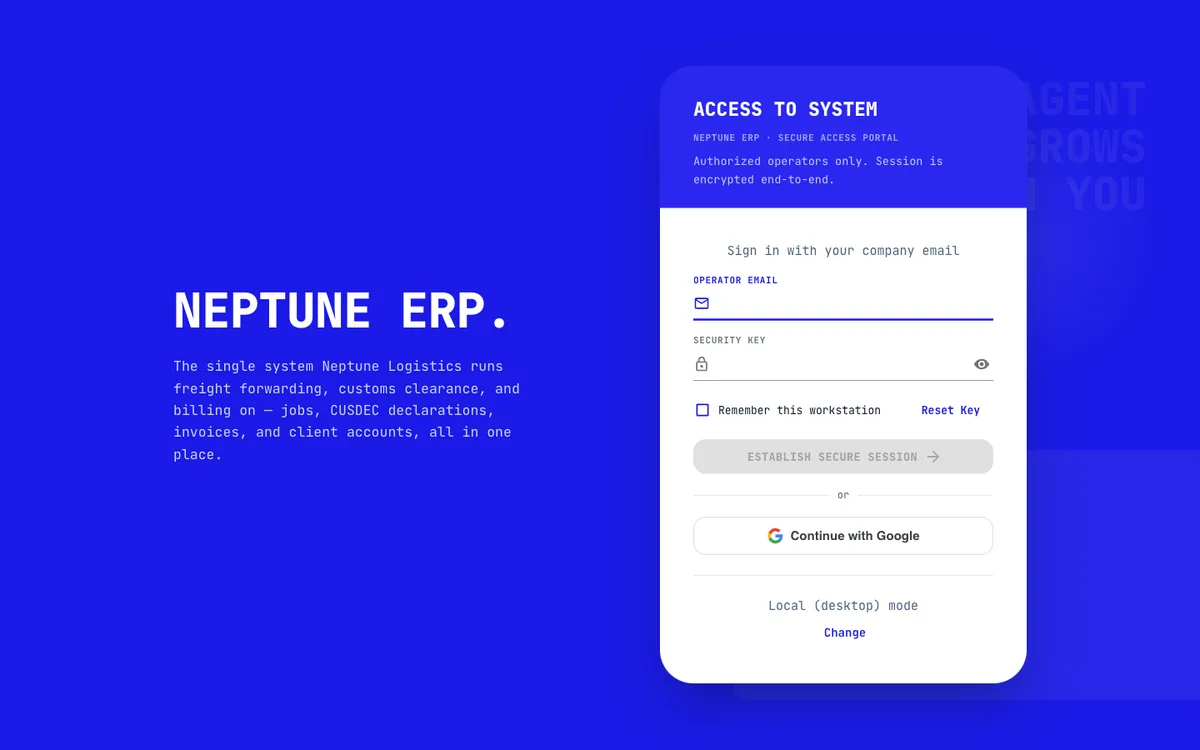
Sign-in page
This is a live client system, so only the sign-in page is public. A guided walkthrough shows the rest.
How it works
The same five steps every shipment goes through.
- 1QuoteQuote builderPrice the shipment for the client.Line items, taxes, validity.
- 2DeclareCUSDEC modelPrepare the customs declaration.Generated from the job.
- 3ClearStatus transitionsCustoms clears the cargo.Guarded by role and state.
- 4TrackJob timelineClient and staff follow progress.Every change is recorded.
- 5BillInvoice + ledgerInvoice and update the ledger.Per-client accounts.
What it is built with
Kept simple on purpose, because it has to run every working day.A small, boring stack on purpose: it has to run every working day.
-

TypeScript
One typed language across the app, the server and the tests, so mistakes are caught before a customs form is wrong.
-


React + Material UI + Redux
The screens: fast, consistent and accessible. Redux keeps shared state predictable.
-

Electron
The installed desktop app for office PCs, with automatic updates and offline use.
-


Node.js + Express
The API and every business rule, written once and shared by the desktop app and the server.
-


PostgreSQL + SQLite
PostgreSQL is the shared database for the office. SQLite keeps the desktop app working offline.
-


Docker + nginx
The server is packed so it runs the same everywhere, and nginx serves the website.
-


Proxmox + Portainer
Proxmox gives the server its own room. Portainer shows and manages every container.
-

Tailscale
A private network, so staff reach the server without opening any port to the internet.
-

Oracle Cloud
A standby copy on Oracle Cloud's free tier, ready to take over if the main server is down.
-


Supabase + Google Cloud
Off-site copies of the nightly backups.
-


GitHub Actions + Sentry
Every change is checked before release, and errors are reported as they happen.
-

Vitest
More than 240 test files guard the business rules, the permissions and the database.
What I did
- Learned the freight workflow first, then wrote the software around it.
- Built the desktop app, the server and the customer portal.
- Set up and runs the servers: Proxmox, Docker, Portainer, Tailscale and a standby on Oracle Cloud.
- Runs in production for the company every day, with updates, backups and recovery documented.
By the numbers
- 14shipment statuses
- 22operational documents
- 13user roles
- 240+automated test files
Read the docs
Every project has written documentation in plain words. Start at the top and go as deep as you like.
- Not public
It holds real client data, so the code and screens stay private. The repository documents everything for the owner.
Private - Where it runs
The servers behind it, explained in plain words.
Curious - Live walkthrough
I can show you the system and explain every screen.
On request - Neptune Logistics website
The public site that sits in front of it.
Public - Neptune Trading website
The sister company site.
Public
Want to see inside?
The system is private, but I am happy to give a guided walkthrough of how it works.