
Kapowarr
A comic library manager that finds, downloads and files every issue for you, and shows when the next one comes out.
- Who it is for
- Anyone who collects comics
- What it is
- My fork of the open-source Kapowarr
- My part
- New sources, a release calendar, notifications, the new interface and the documentation
- Built with
- Python · Flask · SQLite · Docker
Read it your way
Showing the plain-words view, written so anyone can follow it. Switch to see the technical detail.
Showing the engineering view: names of tools, how the pieces talk and why they were chosen.
Why it exists
Keeping a comic library complete means finding each issue, checking it is the right one, naming it and filing it. Kapowarr already does that. My fork searches more places (Prowlarr for torrents and the Internet Archive), puts the best result first, and adds a calendar so you can see when the next issue of every series comes out. The whole interface was redone in the style of Sonarr and Radarr, so it is easy for a beginner and quick for daily use.
What it does
- 01
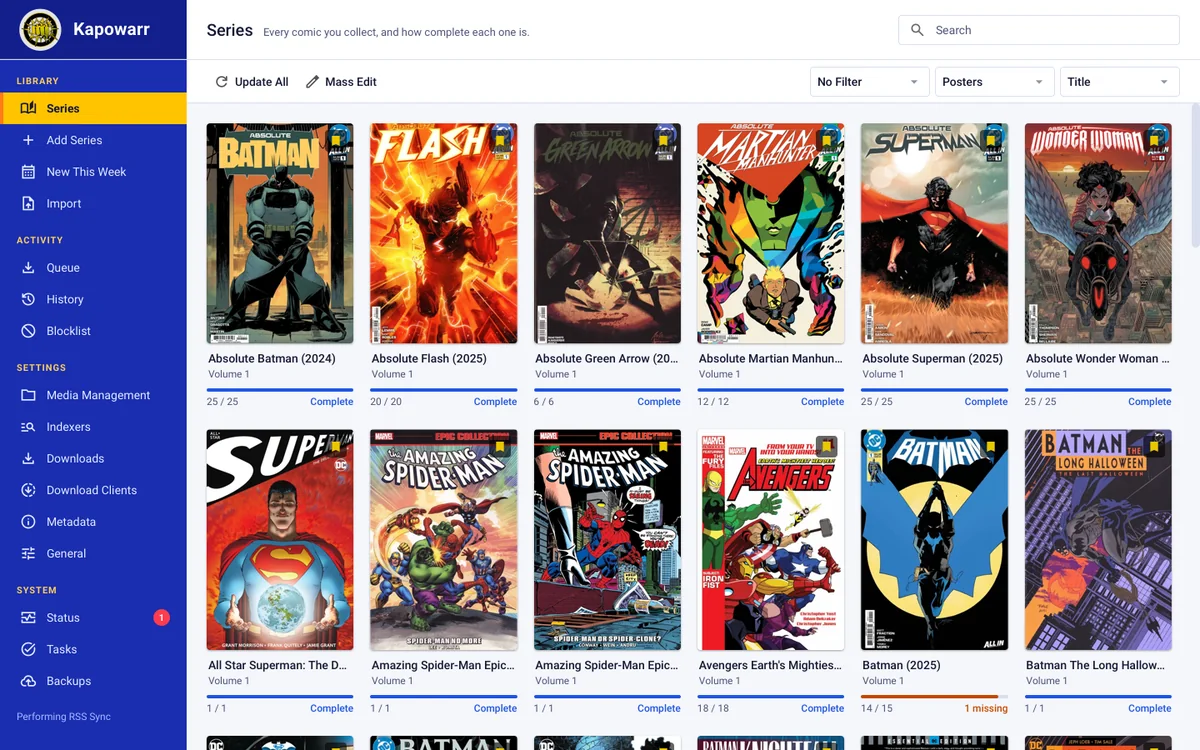
A shelf that says how complete you are
Every comic shows how many issues you have, and the words Complete or missing.
Progress bars coloured by state, with a count and a label, never colour alone.
- 02
A release calendar
Day, Week, Month and Year views, plus a list of the next issue of each series.
Server-side date maths for leap years and month ends, with 14 checks for the edges.
- 03
More places to look
Torrent sites through Prowlarr, and the Internet Archive for public domain comics.
Dead torrents ranked last, a looser retry, a ten-minute result cache.
- 04
Tidy and quick imports
A finished torrent is linked into your library without a second copy.
Hardlinks when both folders share a drive, copy when they do not.
- 05
It tells you
A message when a comic is downloaded, imported or fails, and your reader is told to scan.
Discord, ntfy or any webhook, plus a Komga scan after every import.
- 06
Follow, request and upgrade
Follow one series by name, let others request comics, and find better copies later.
Watch list, request page, format ranking and reading progress from Komga.
See it
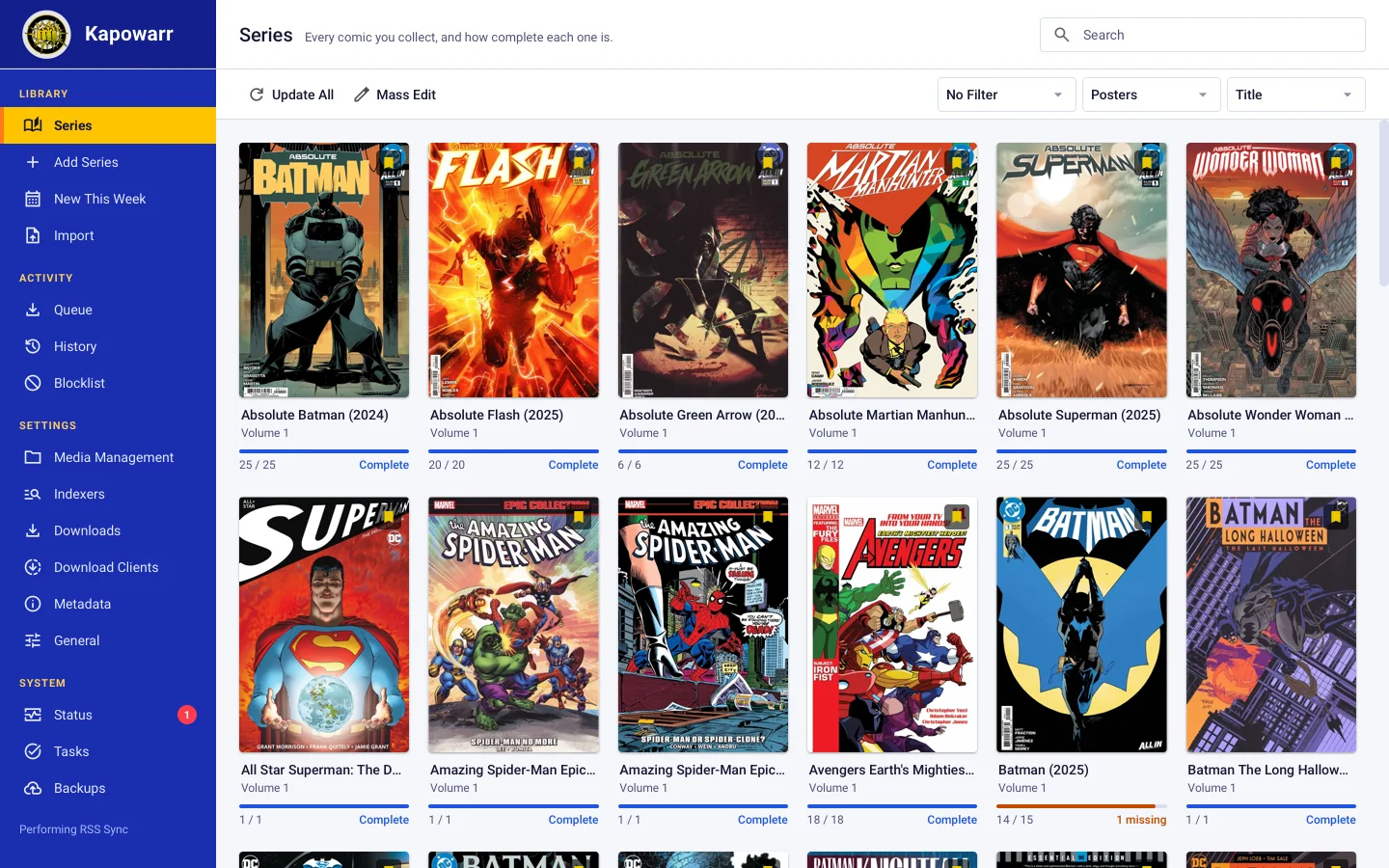
The shelf, in light mode 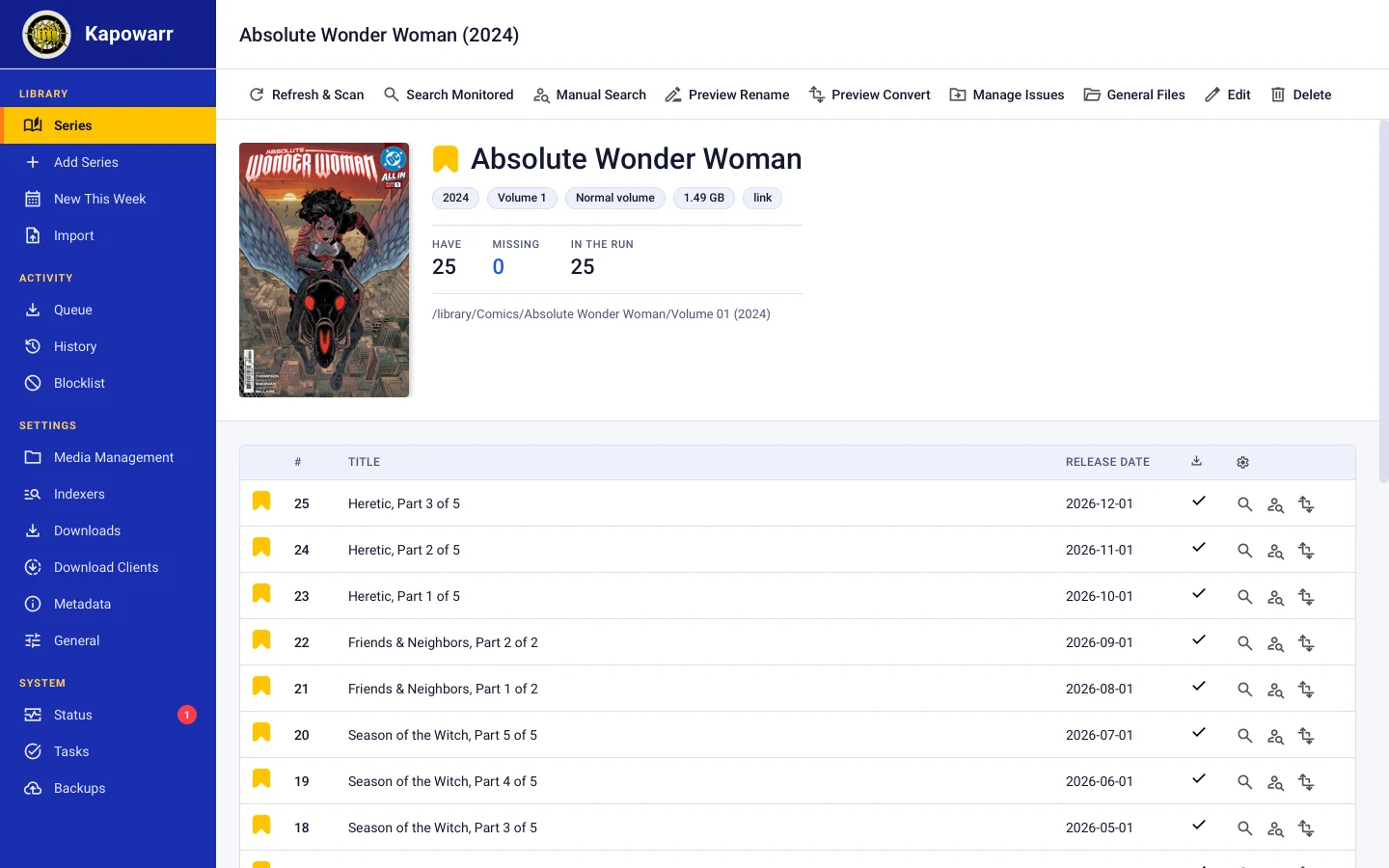
A series: have, missing and the issue list 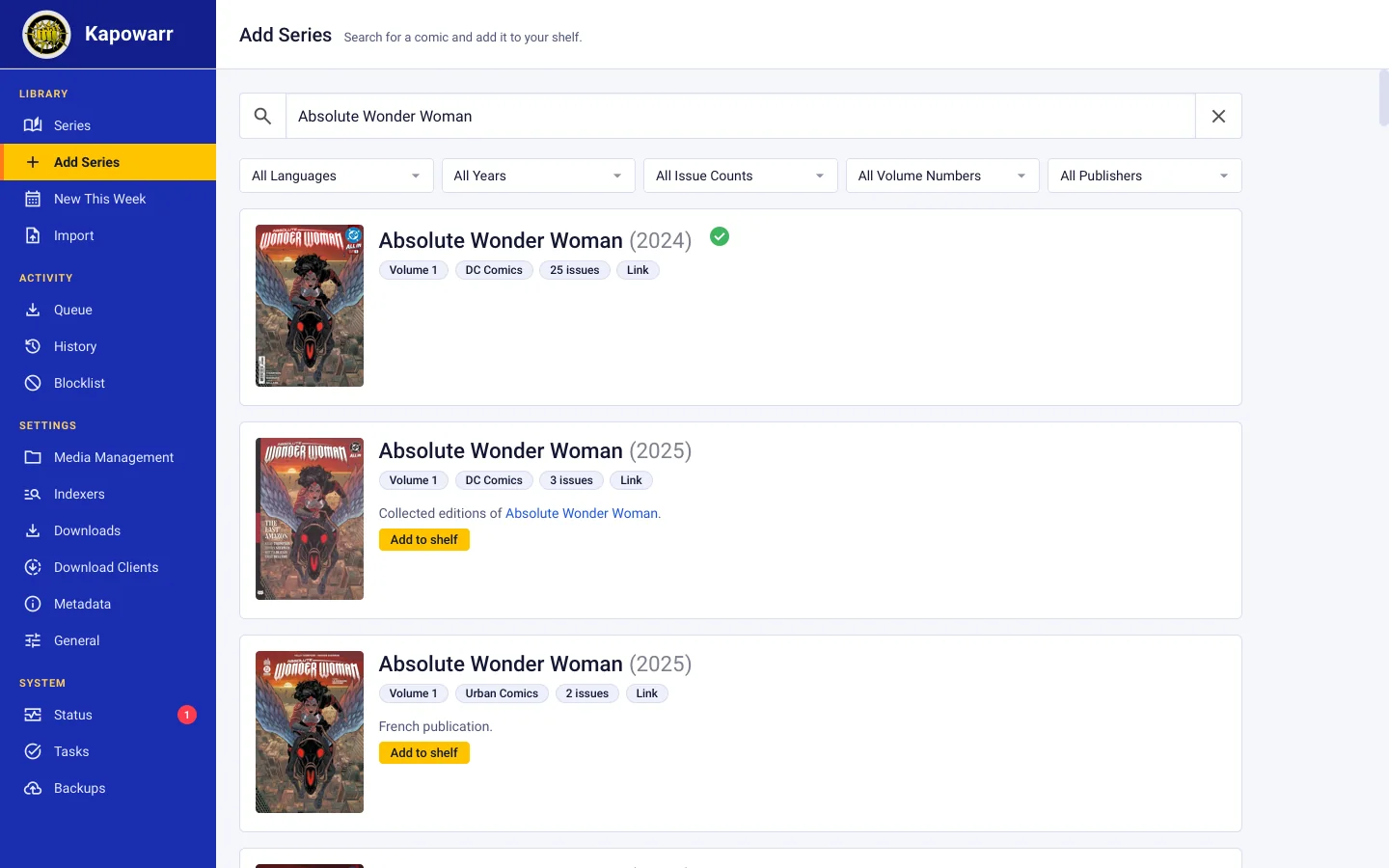
Adding a comic 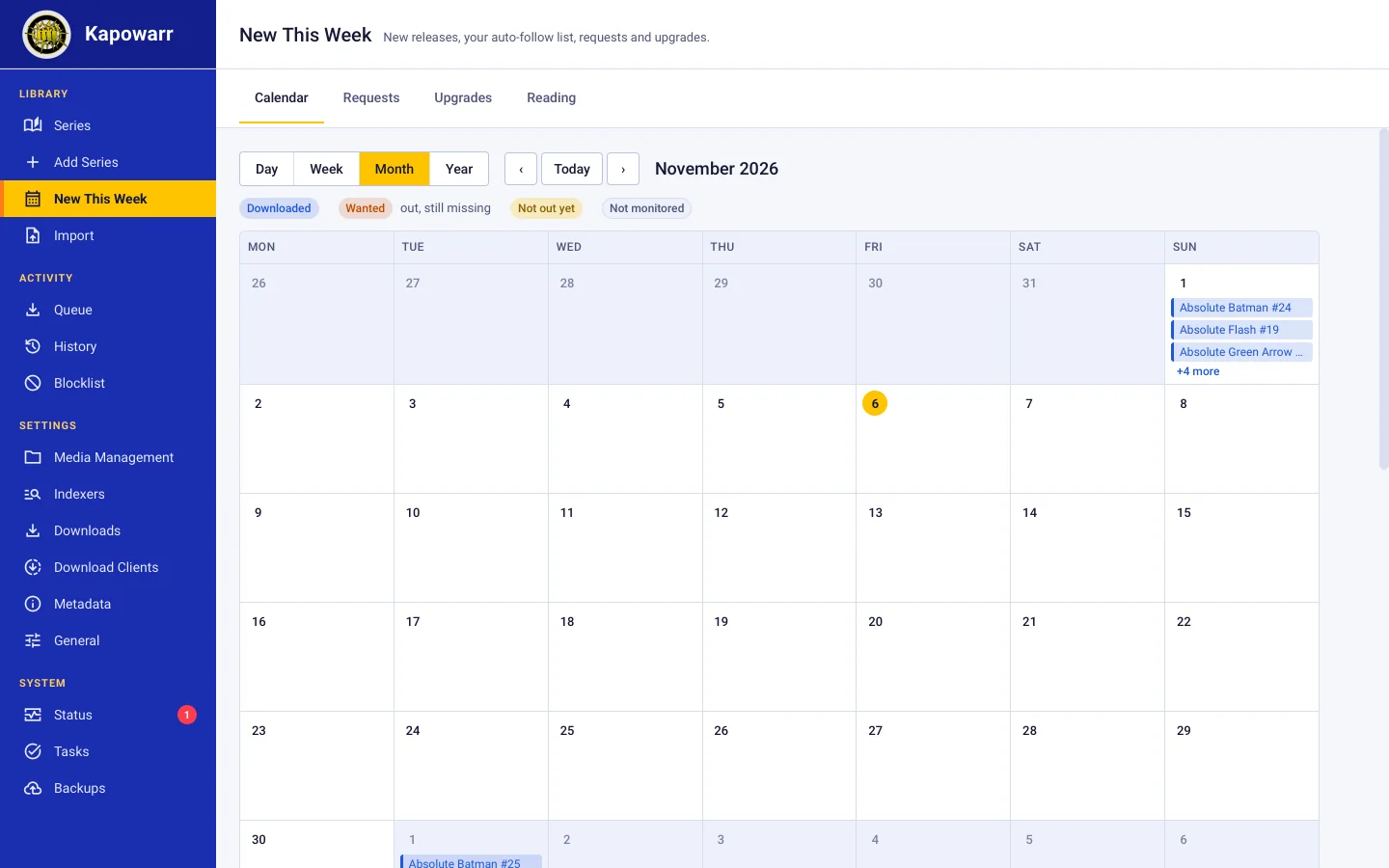
The month calendar 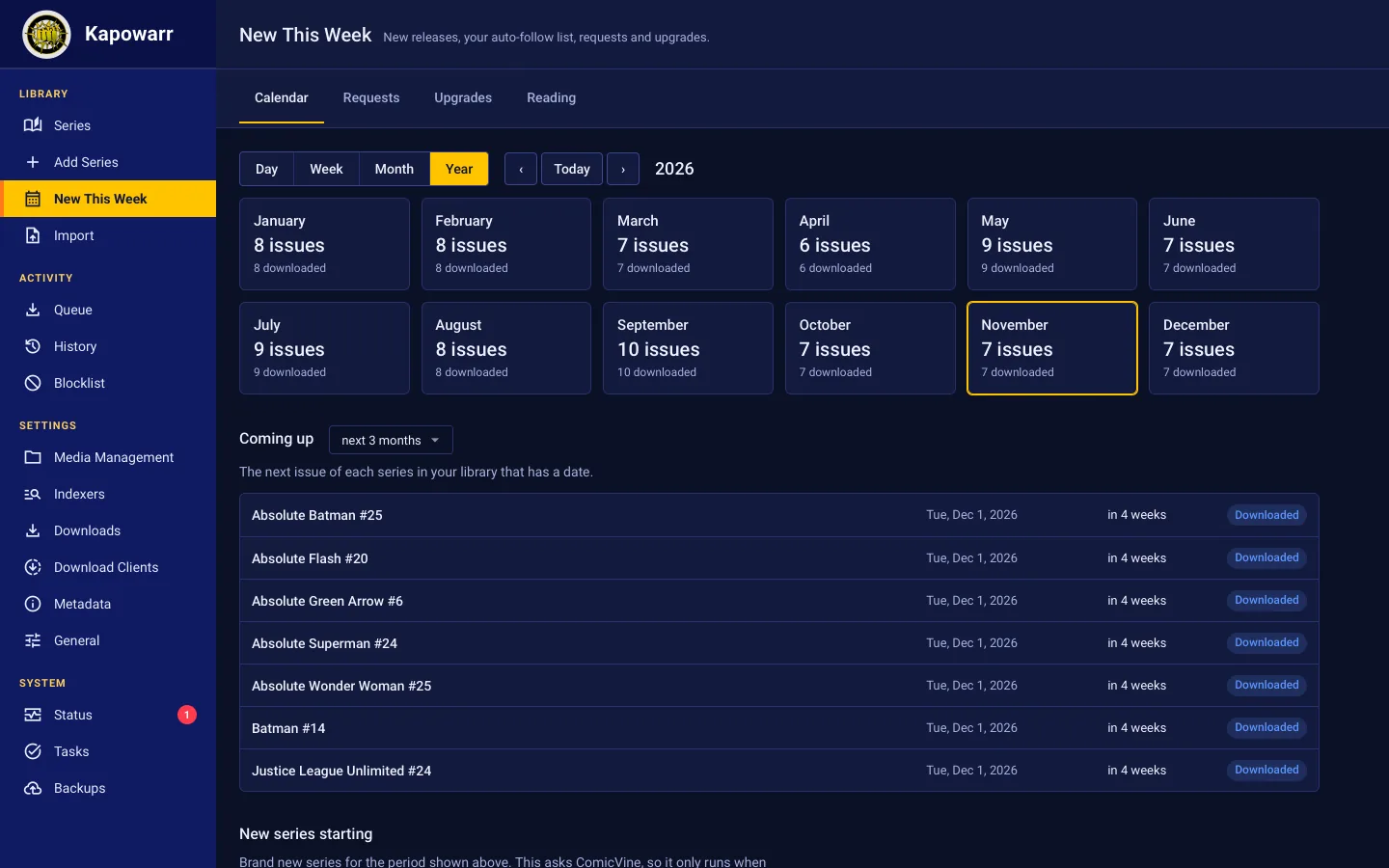
The year calendar 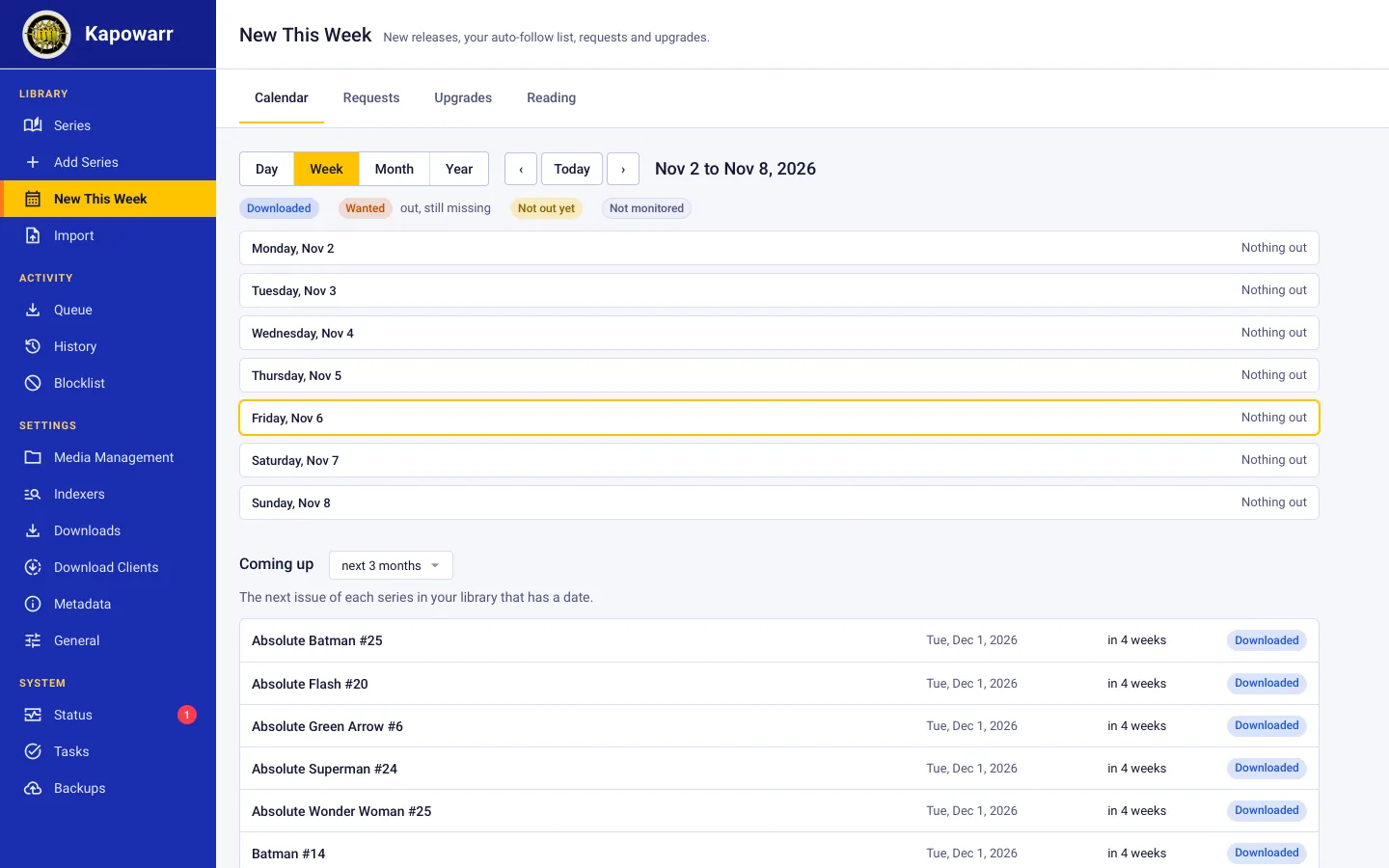
The week, in light mode
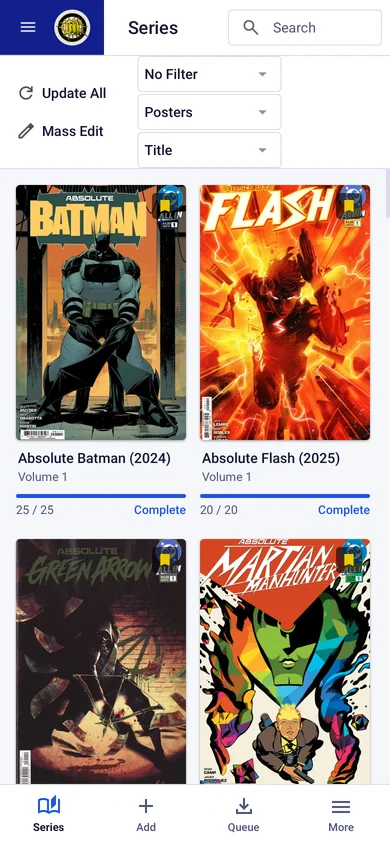
The shelf on a phone 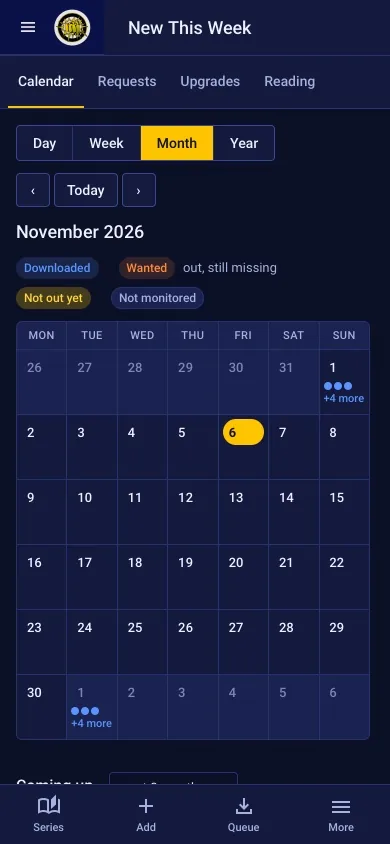
The calendar on a phone
How it works
What happens after you add a series.
- 1You add a seriesComicVine searchSearch by name, pick the right one.Or paste a ComicVine ID.
- 2It reads your folderLibrary scanIssues you already have are ticked off.Matches files to issues by name.
- 3It looks for the restGetComics, Internet Archive, ProwlarrIn every place you switched on.Results ranked, dead torrents last.
- 4It downloads and filesqBittorrent or direct downloadNamed the way you chose.Hardlinked into the library when it can be.
- 5You are toldDiscord or ntfy, and KomgaAnd your reader updates.A scan runs after every import.
What it is built with
The tools I chose, and the simple reason for each.The stack and why each piece earned its place.
-

Python
Kapowarr is a Flask app, and my changes stay in the same language.
-

Docker
One public image, so installing and upgrading is one command.
-

GitHub Actions
Builds the image for Intel and ARM, and brings in the original's new work every week.
-

SQLite
The library lives in one small file, easy to back up.
What I did
- Added Prowlarr and the Internet Archive as places to look.
- Built the release calendar, requests, upgrades and reading progress.
- Redesigned the interface in a Sonarr style, light and dark, for phones too.
- Wrote 119 automatic checks and the documentation.
- Keeps the fork in step with the original every week.
By the numbers
- 119automatic checks
- 4calendar views
- 2new places to look
- 2themes, light and dark
Read the docs
Every project has written documentation in plain words. Start at the top and go as deep as you like.
Run it
One Docker command starts it. The image is public: ghcr.io/hikki-dev/kapowarr-fork. The screens above are my own library.